Xbox Mode on Windows 11 Turns Every PC Into a Dedicated Gaming Hub
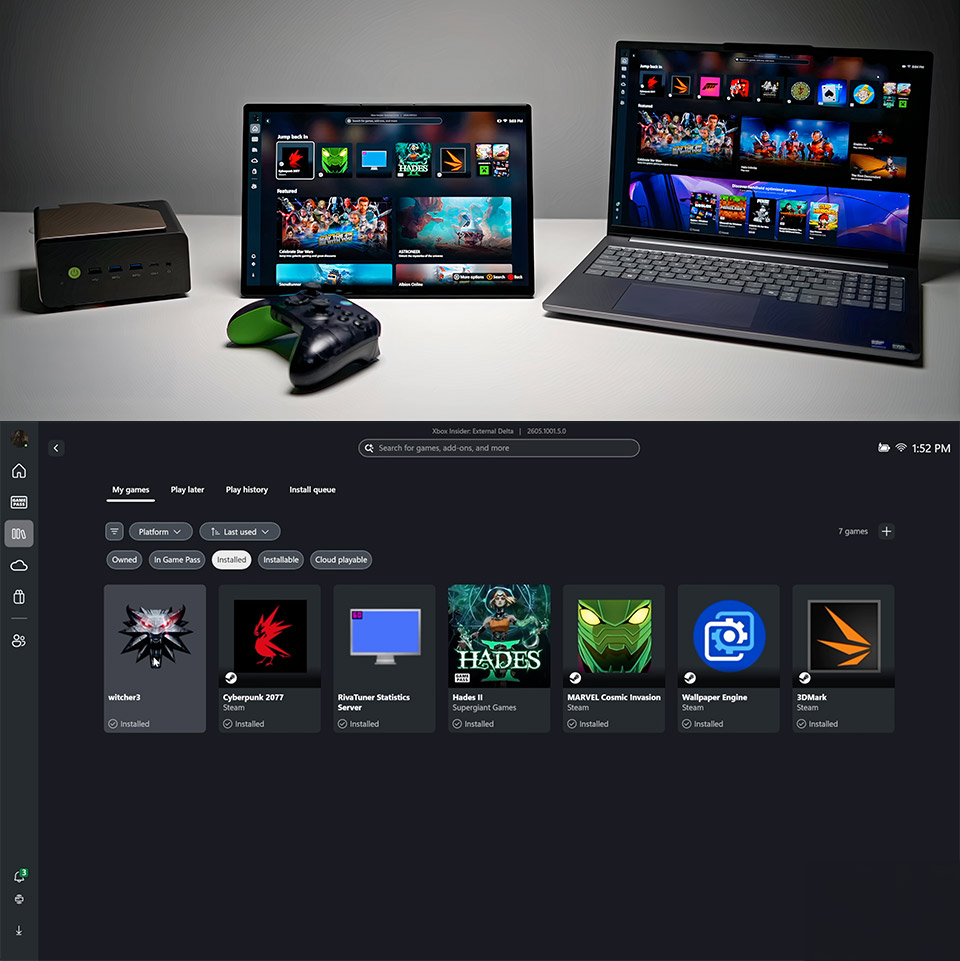
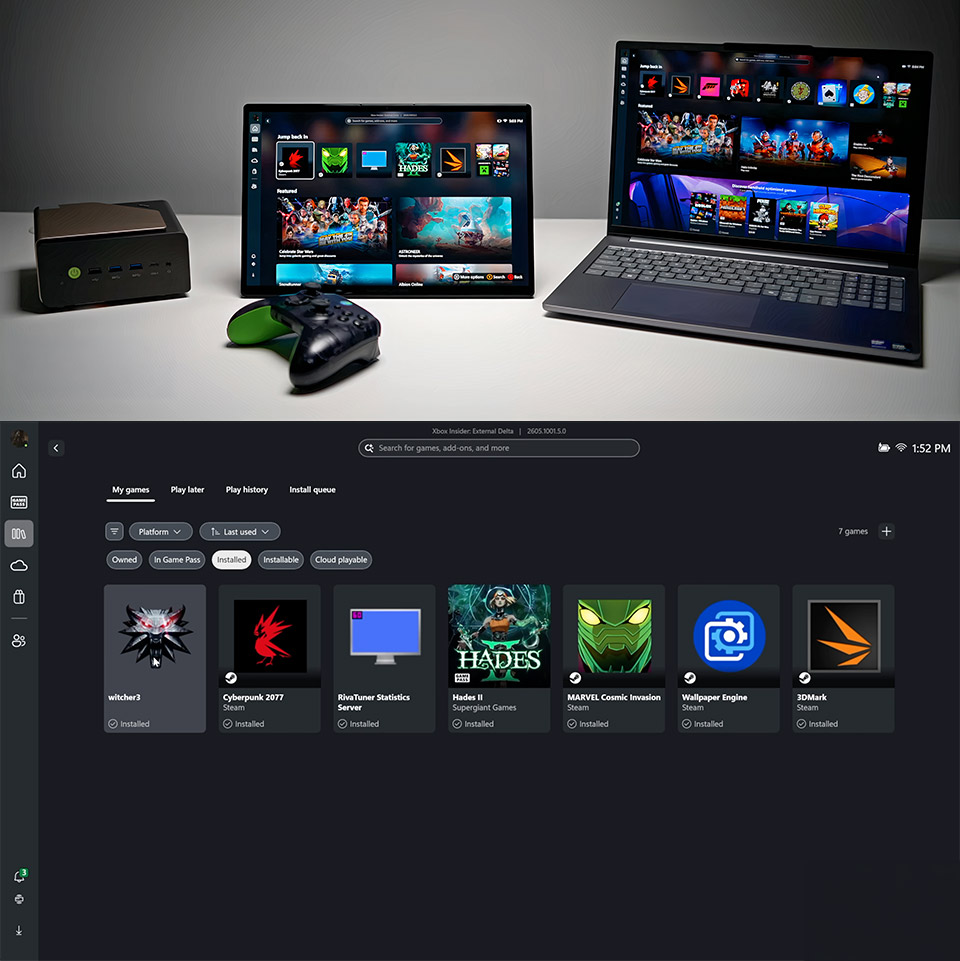
Gamers everywhere just gained a cleaner path to play on their Windows 11 machines. Microsoft started pushing out Xbox Mode on April 30 in select markets, with the update spreading to more users over the coming weeks. This full-screen interface draws straight from the console playbook yet runs on everything from laptops and desktops to tablets and handhelds. Players flip into it when they want games front and center and slip back to the regular desktop whenever they need to check email or open another app.
Navigation is really easy and entirely controller-focused. If you have a gamepad paired, you can go around the home screen, select what you want to play from your recent titles, or explore the entire collection without ever using a mouse. The entire thing is designed to reduce distractions to a minimal, allowing you to focus solely on the game you want to play. Your most recent plays appear first, while everything else is pulled from your Xbox Game Pass and any other games you have loaded on your PC from other retailers.
Sale

ASUS ROG Xbox Ally – 7” 1080p 120Hz Touchscreen Gaming Handheld, 3-month Xbox Game Pass Premium…
- XBOX EXPERIENCE BROUGHT TO LIFE BY ROG The Xbox gaming legacy meets ROG’s decades of premium hardware design in the ROG Xbox Ally. Boot straight into…
- XBOX GAME BAR INTEGRATION Launch Game Bar with a tap of the Xbox button or play your favorite titles natively from platforms like Xbox Game Pass…
- ALL YOUR GAMES, ALL YOUR PROGRESS Powered by Windows 11, the ROG Xbox Ally gives you access to your full library of PC games from Xbox and other game…
Library management is also fairly simple and unified, as installed PC games from Steam or other stores appear alongside your Game Pass picks after you’ve added them with a quick little plus icon, and if you store some of your games on an external drive, they appear in the same way, following a quick little link to the executable files. No additional apps or launchers are required because everything is included in a single view that automatically updates when new games are released.
Switching modes is simple; just press the Xbox button on your controller or open the Game Bar to return to the standard Windows 11 desktop. The system remembers where you left off, so you don’t have to restart; you can simply continue where you left off. This added flexibility especially shines on tablets or handhelds, as it’s ideal for travel or simply resting on the couch where a keyboard isn’t an option.
Setting it up is also simple; just make sure that your Windows 11 is up to date, navigate to Settings, click on Windows Update, and enable the option to receive new features as soon as they become available. When the rollout hits your device, you should see Xbox Mode available, either in the gaming section or directly from the Game Bar. Some early handheld testers received a glimpse of this, and it is now available to everyone.
The hardware support is also strong, as laptops get that console feel without the need for additional hardware, desktops can become living room powerhouses when paired with a controller, and tablets and handhelds benefit the most from this during portable play because the interface was refined on devices such as the ROG Ally before being rolled out to other devices. Furthermore, additional updates for handhelds are in the works, which will include further capabilities such as automatic resolution increases when docked on a larger screen, but these are not part of the Xbox Mode.
Xbox Mode on Windows 11 Turns Every PC Into a Dedicated Gaming Hub
#Xbox #Mode #Windows #Turns #Dedicated #Gaming #Hub