iFixit’s iPhone 17e Teardown Hands iPhone 16e Owners a Simple Wireless Charging Upgrade
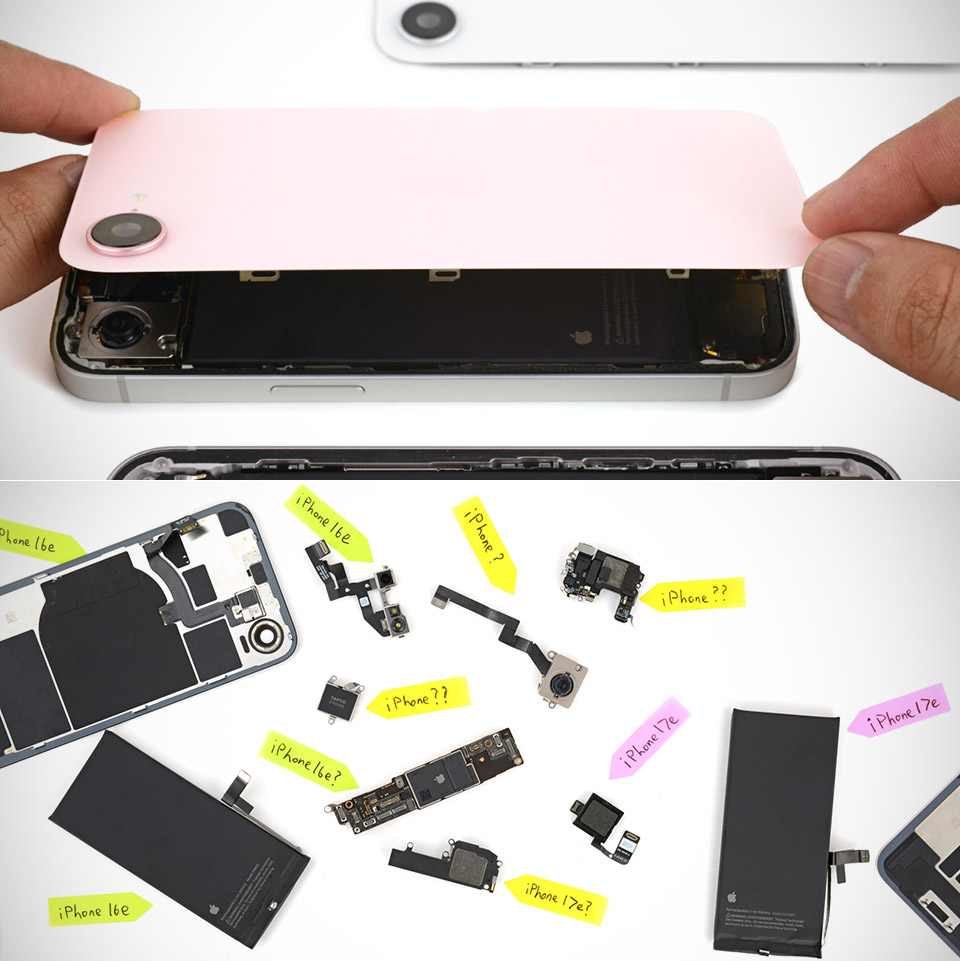
Photo credit: iFixit
iFixit has completed a full teardown of the iPhone 17e and in the process, opened the door for owners of last year’s 16e model to get wireless charging without having to buy a whole new phone. The 17e’s back glass panel fits flawlessly on the 16e, bringing with it the essential magnets and circuitry for MagSafe-style functionality and faster charging. With that one simple swap, you’ll have a phone that is ready for wireless pads and accessories in no time.
As with the previous models, the disassembly process went smoothly. A little heat melts the adhesive that holds the rear glass in place, and if you give one of the press connectors a little wiggle, the wireless charging and flash wiring come free, allowing you to lift the panel cleanly. The front and rear can be opened individually, allowing the battery to slip out without ever touching the screen. A small electrical pulse removes the battery adhesive, and everything separates with minimal difficulty. Standard issue tools are all you need for the screws and connectors, though a few of them are in some fairly weird places, slowing things down a touch.
Sale

Charging Station for Apple Multiple Devices – 3 in 1 Foldable Magnetic Wireless Charger Dock – Travel…
- 3 in one Fold Up Charger Station: The wireless charging pad features built-in magnetic alignment, which automatically and precisely charges iPhone…
- Wireless Charging Station for Travel: Portable and foldable wireless charger that can charge for your iWatch, phone and AirPods at the same time…
- Compact Easy to Use: It only need one cord to charge three Apple products at the same time. The 180° foldable charging mat can be changed into a…
Cross compatibility, which is the essential word here, extends beyond the rear panel. You can replace almost every internal component between the two phones without much problem. Insert the logic board from a 16e into the 17e chassis and you’re ready to go; the Repair Assistant can handle the majority of the setup on its own. It also works in reverse. Storage on the 17e begins at 256 gigabytes, powered by the brand new A19 chip and a speedier C1X modem that not only consumes less power but also doubles data rates compared to its predecessor.
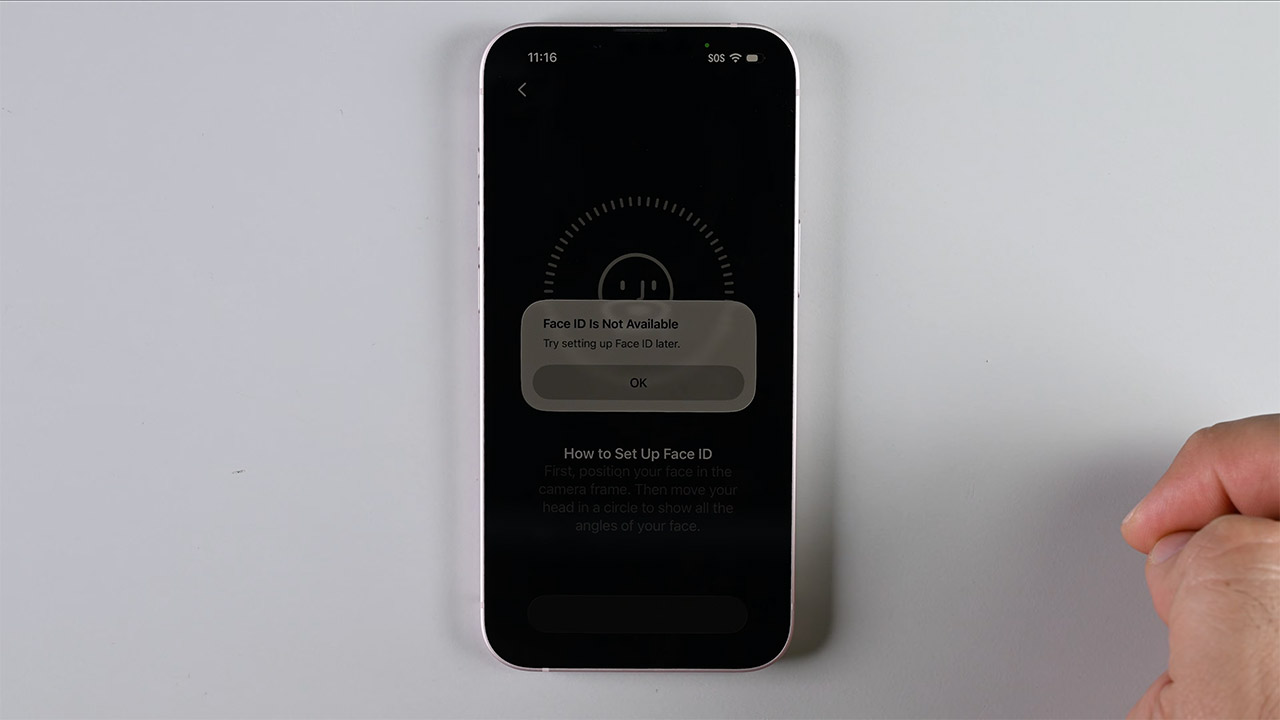
Moving the TrueDepth camera array between models, however, will result in the loss of Face ID capabilities, even while the basic camera will continue to function normally. The USB-C port is tucked away in a challenging position, which is exactly the type of design that makes it more difficult to repair when those low-cost phones get bashed around. Getting the battery out is still simple thanks to the dual-entry structure. The pulse approach removes the glue completely, eliminating the need for any additional steps. How cool is that?
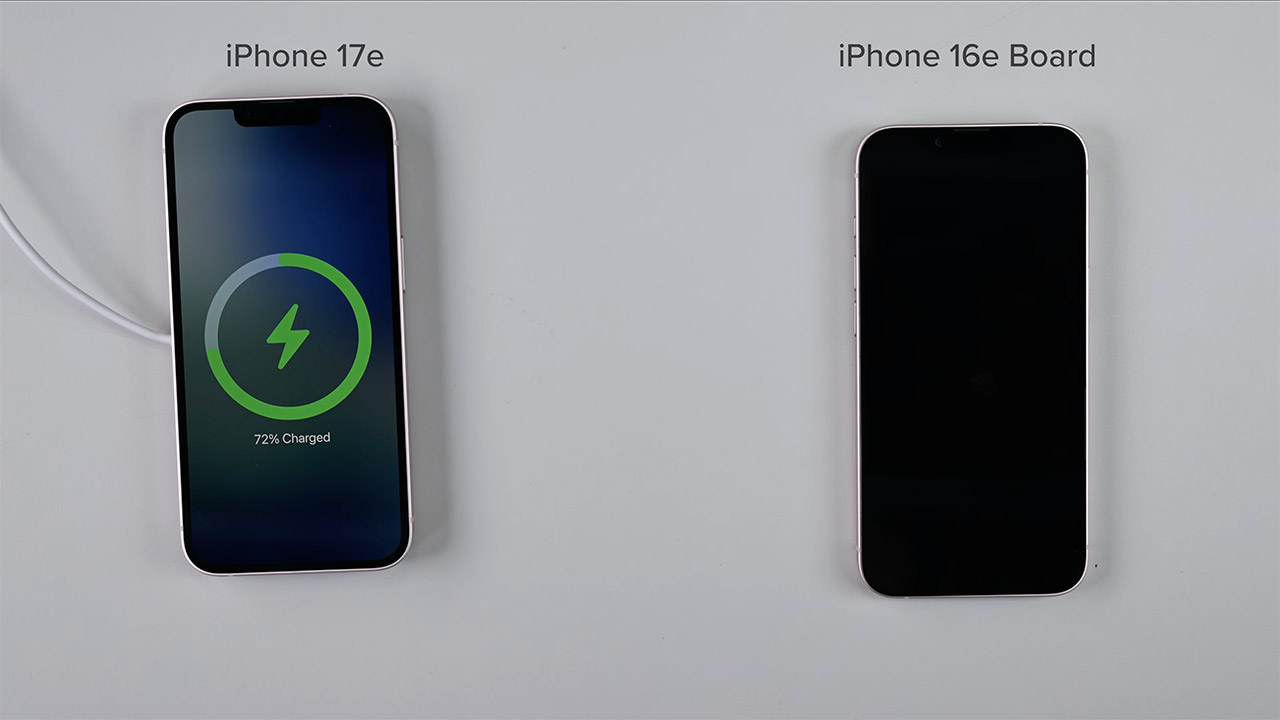
iFixit rated the phone a strong 7 out of 10 repairability rating, which is precisely the same as last year’s 16e model. All of this high part interchangeability boosts the solid mark because it reduces sourcing costs and increases the value of used components for users wishing to restore or update their phone. Having Apple’s day-one repair manuals on hand also helped the iFixit crew power through each step and complete everything in double the time.
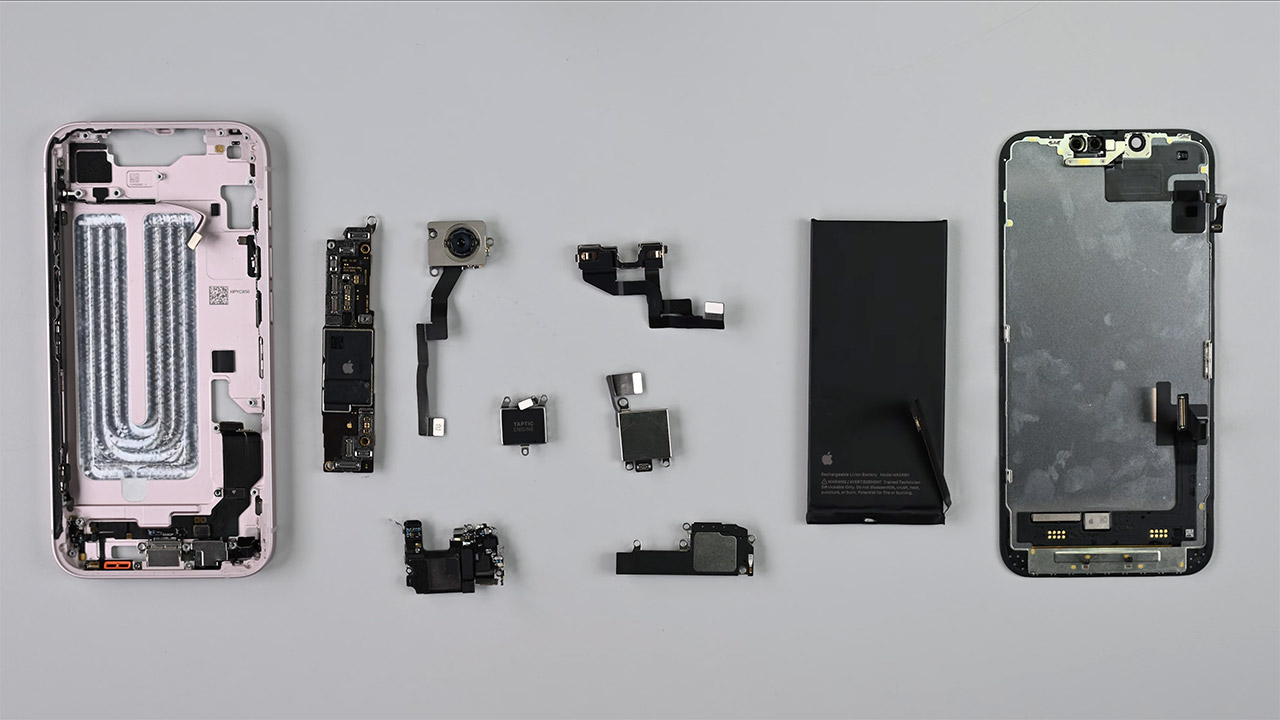
Swapping the back panel enables wireless charging, but the 16e model lacks the one key piece of software that causes the familiar attachment sound and animation to appear on the 17e, but you can still charge the 16e at 15-watt speed on the older phone; it just requires a little more testing to get it fully operational.
[Source]
iFixit’s iPhone 17e Teardown Hands iPhone 16e Owners a Simple Wireless Charging Upgrade
#iFixits #iPhone #17e #Teardown #Hands #iPhone #16e #Owners #Simple #Wireless #Charging #Upgrade